RAG – Supabase操作流程
 H.Y. Chen
 PostGreSQL 簡介與基礎操作:https://eminent-glider-8c3.notion.site/PostgreSQL-39e9def5443d807ba034dcbf3b8ab46e?pvs=74
- 創建賬號並登入
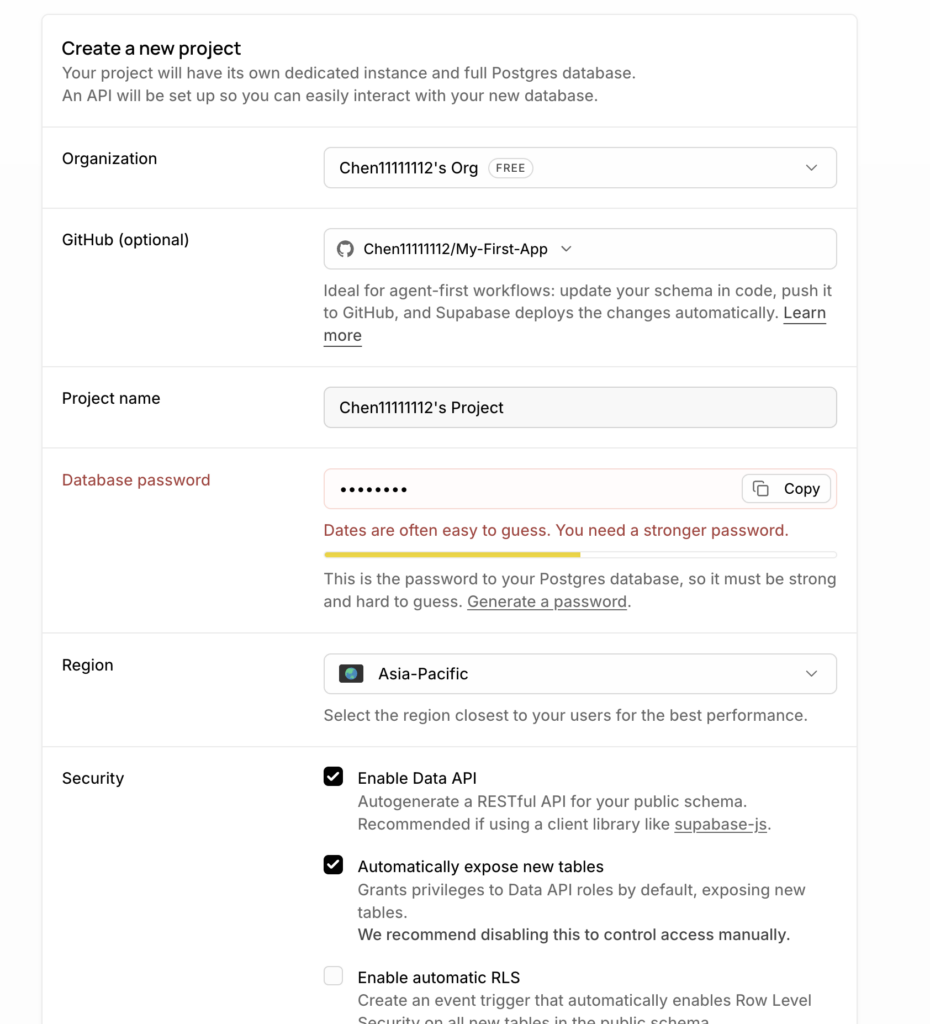
- 專案首頁
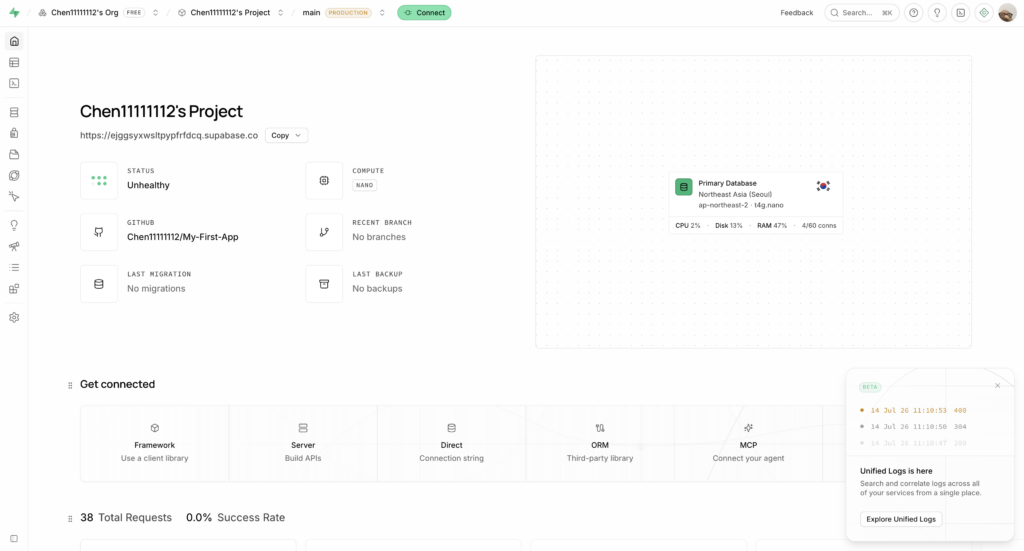
- 前往project setting複製以下資訊(記得在本地建立.env.local):
- API key (選擇 Legacy anon, service_role API keys )
- 專案 id
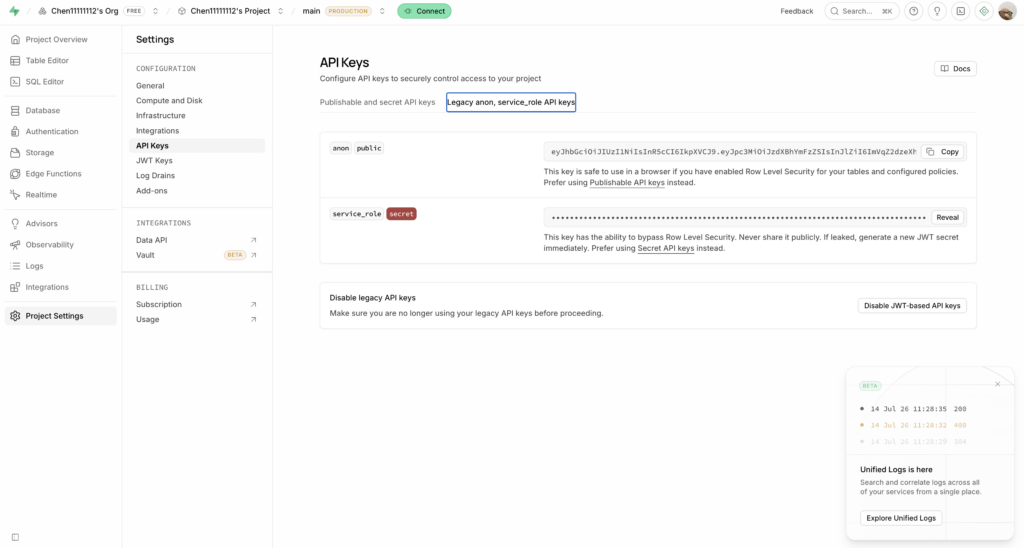
.env.local
SUPABASE_SERVICE_ROLE_KEY = 這裡填上你在 API key 區域中複製的 service_role secret
NEXT_PUBLIC_SUPABASE_ANON_KEY = 這裡填上你在 API key 區域中複製的 anon public key
NEXT_PUBLIC_SUPABASE_URL = https://這裡填上你專案的id.supabase.co

# 範例
SUPABASE_SERVICE_ROLE_KEY = eyJhbGciOiJIUzI1NiIsInR5c...(略)
NEXT_PUBLIC_SUPABASE_ANON_KEY = eyJhbGciOiJIUzI1NiIsI...(略)
NEXT_PUBLIC_SUPABASE_URL = https://ejggsyxwsltpypfrfdcq.supabase.co
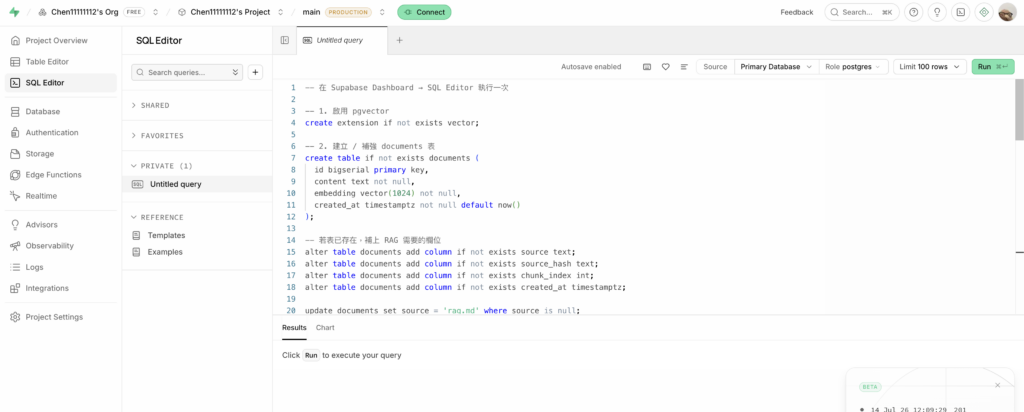
Code language: PHP (php)- 接著在SQL Editor中執行 db/query.sql
- db/query.sql 放置於以下git hub repo中:
https://github.com/Chen11111112/RAG-lab
- db/query.sql 放置於以下git hub repo中:
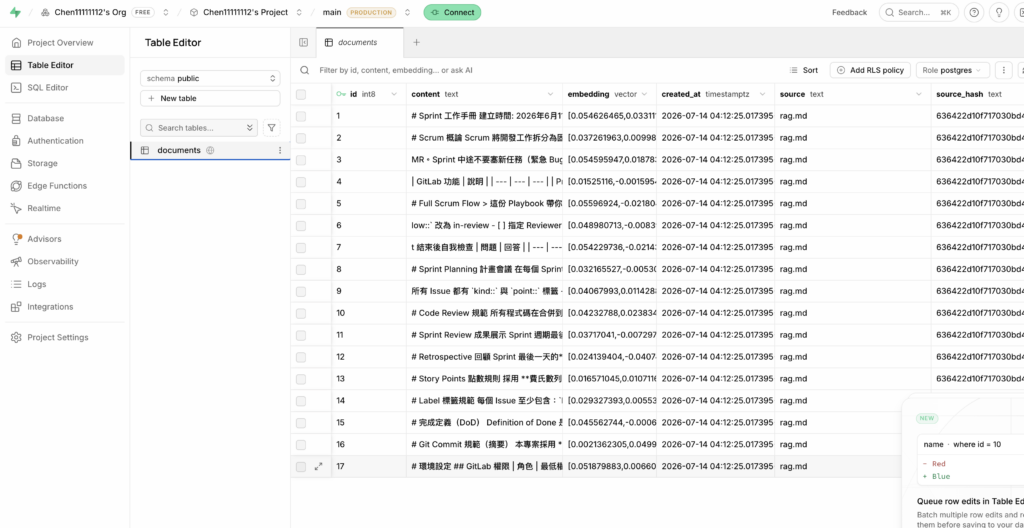
當你在localhost3000向AI詢問問題後,前往 supabase查看會看到切分後的md